Installation for iOS
Follow these steps to seamlessly install eSIM.
Manual
QR-code
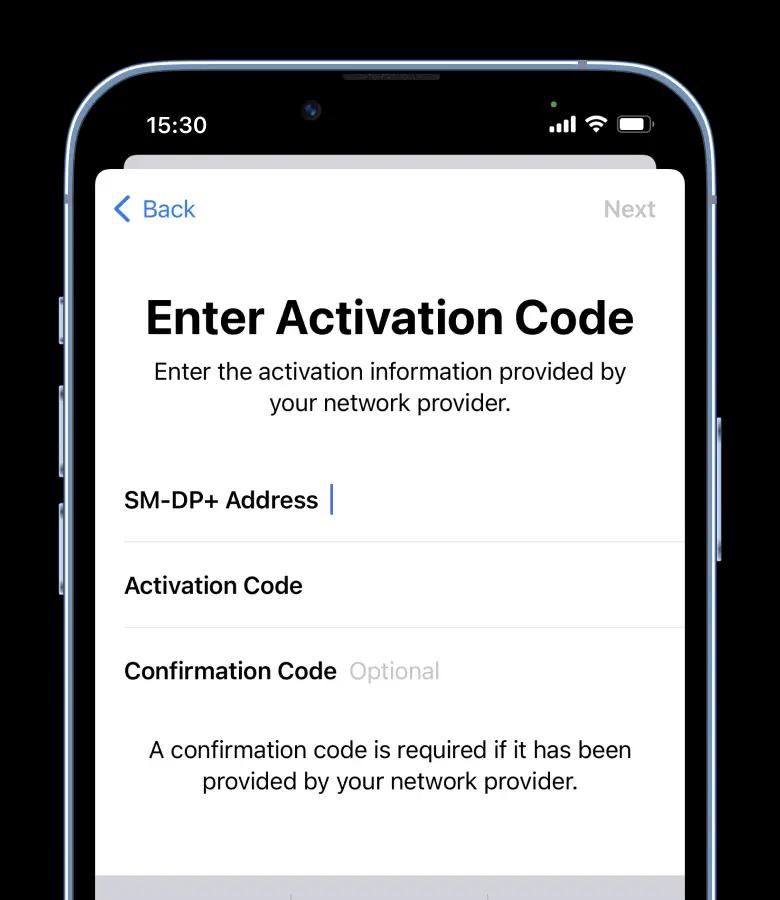
Step 1 of 5
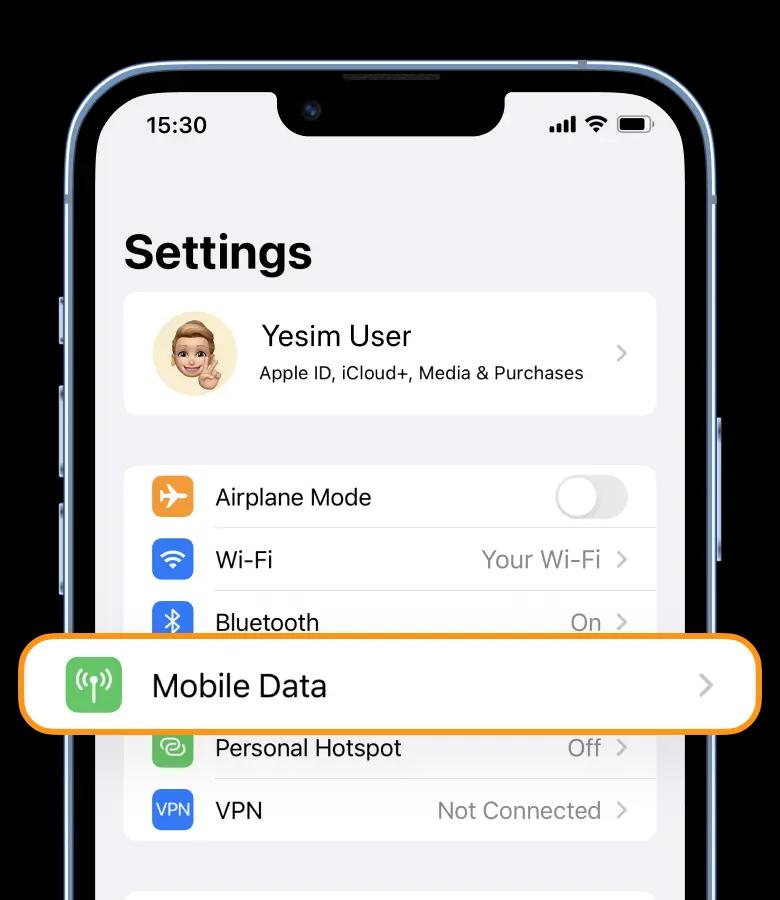
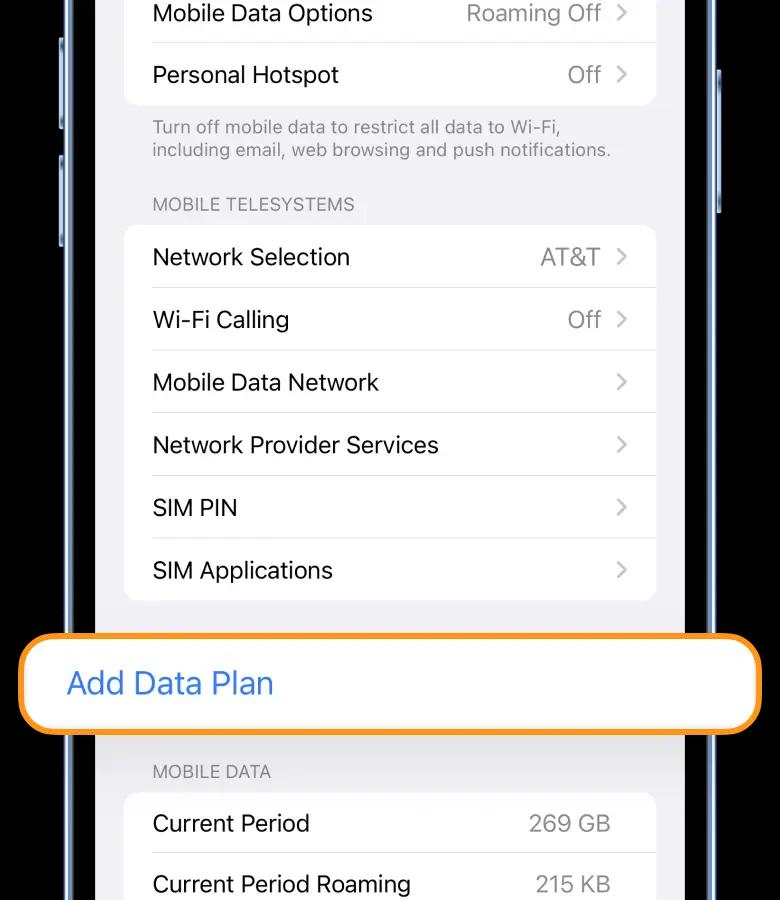
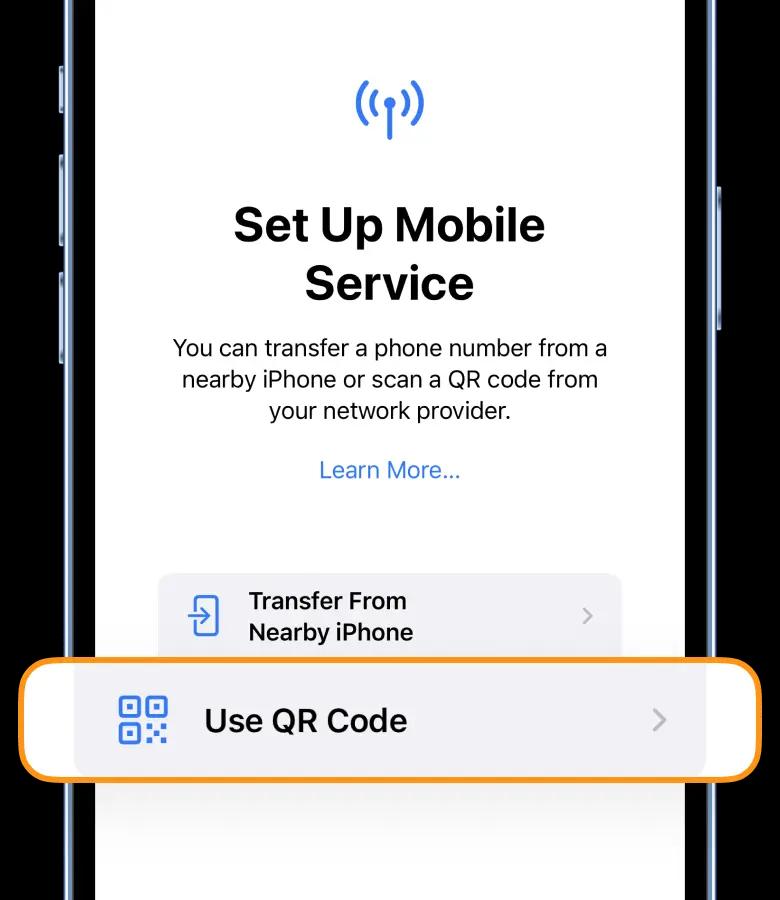
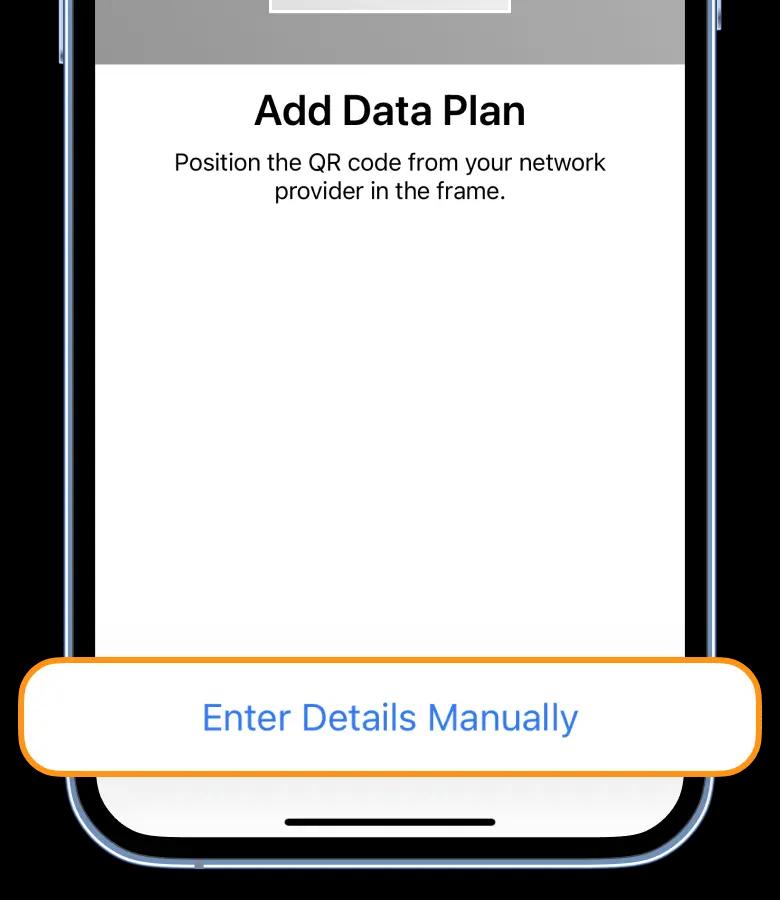
Install the plan by entering "SM-DP+ Address" and "Activation code"
Settings → Mobile Data → Yesim
Step 2 of 5
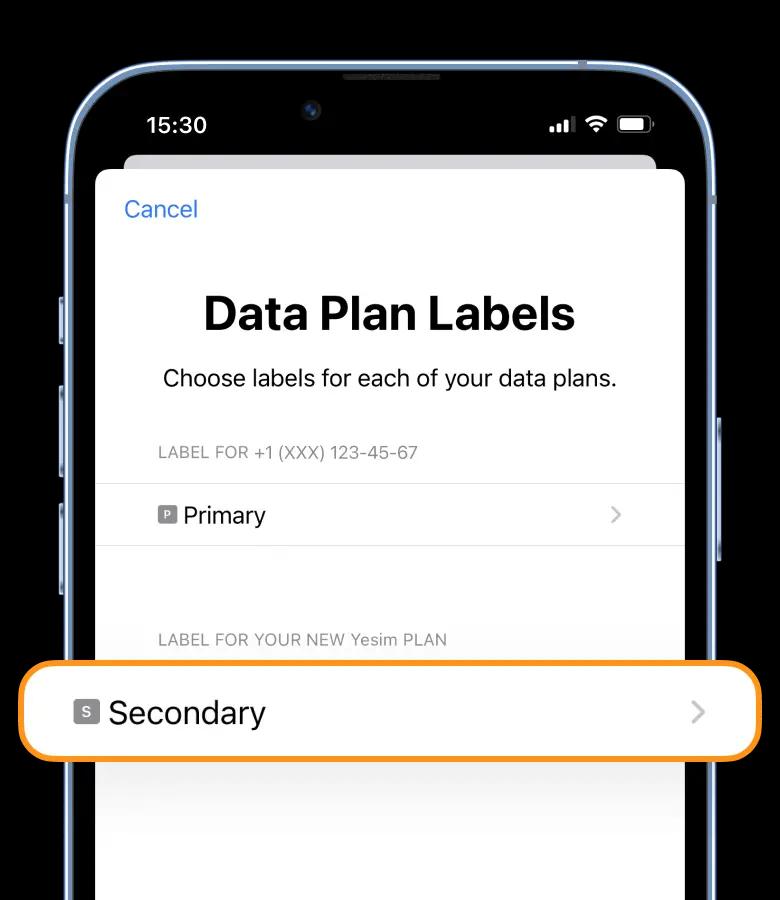
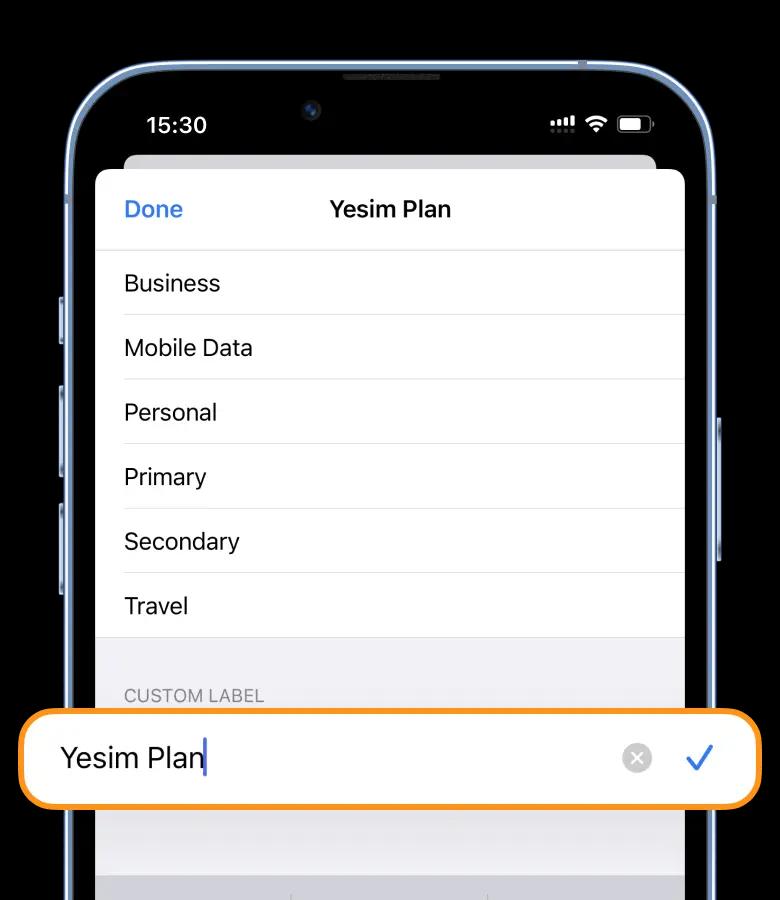
Install a label for the new cellular plan "Yesim Plan"
Label:
Yesim Plan
Step 3 of 5
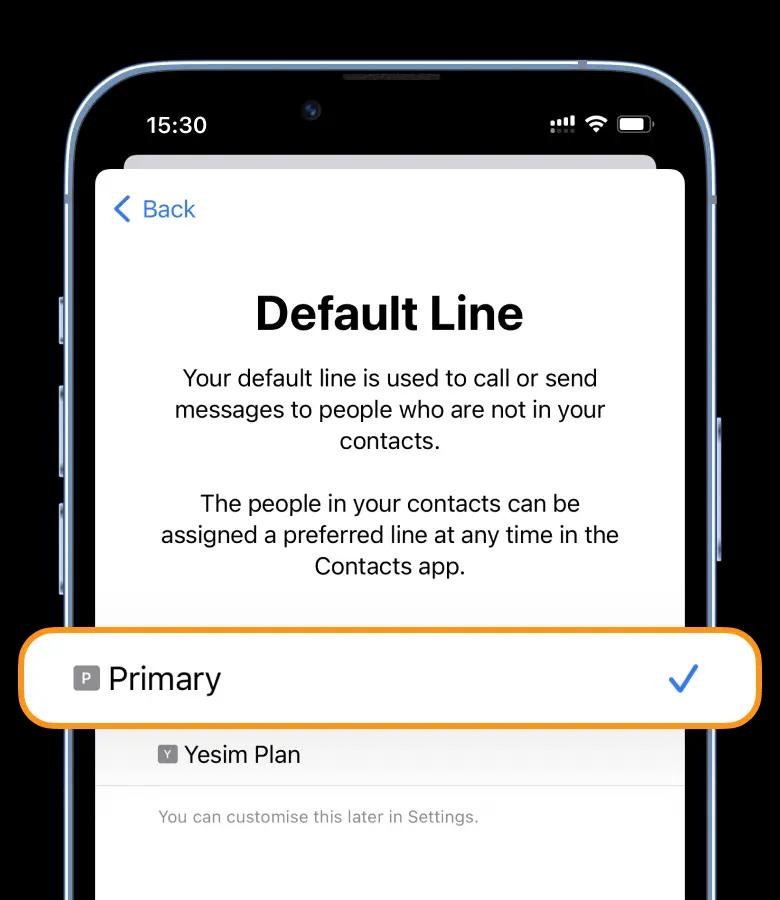
Select “Primary” for the Default Line and for iMessage & FaceTime
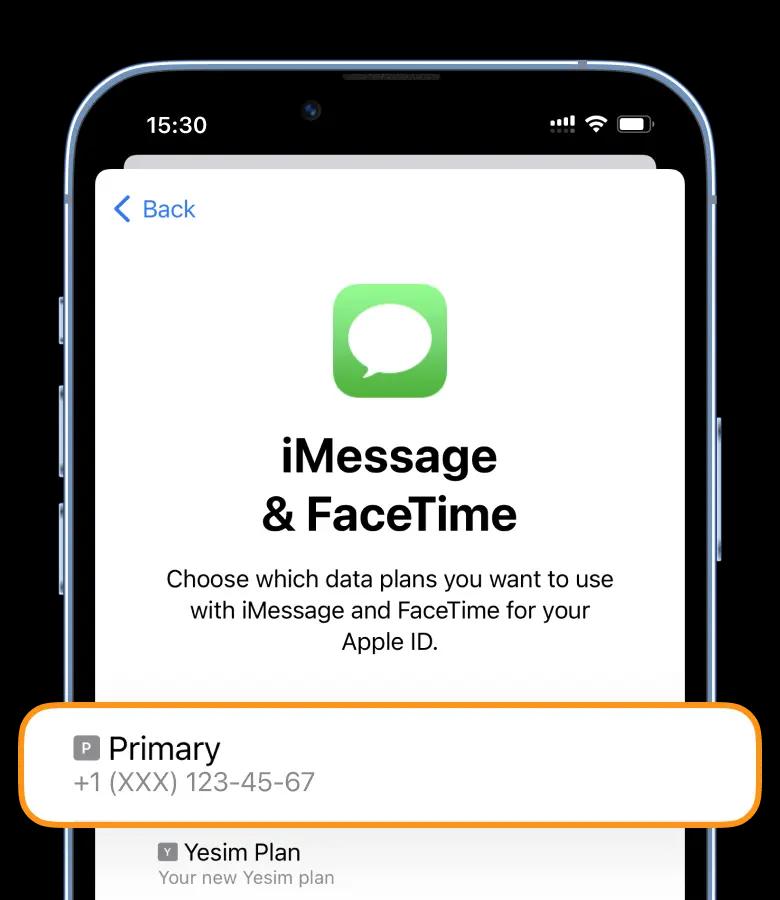
Step 4 of 5
Select the newly added eSIM plan for cellular/mobile data
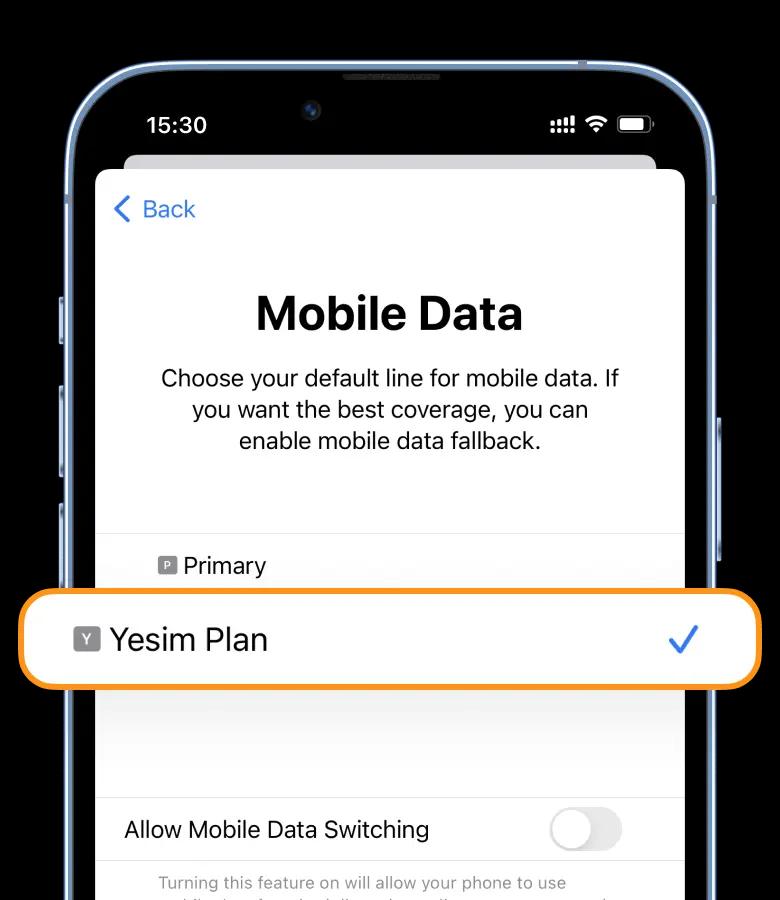
Step 5 of 5
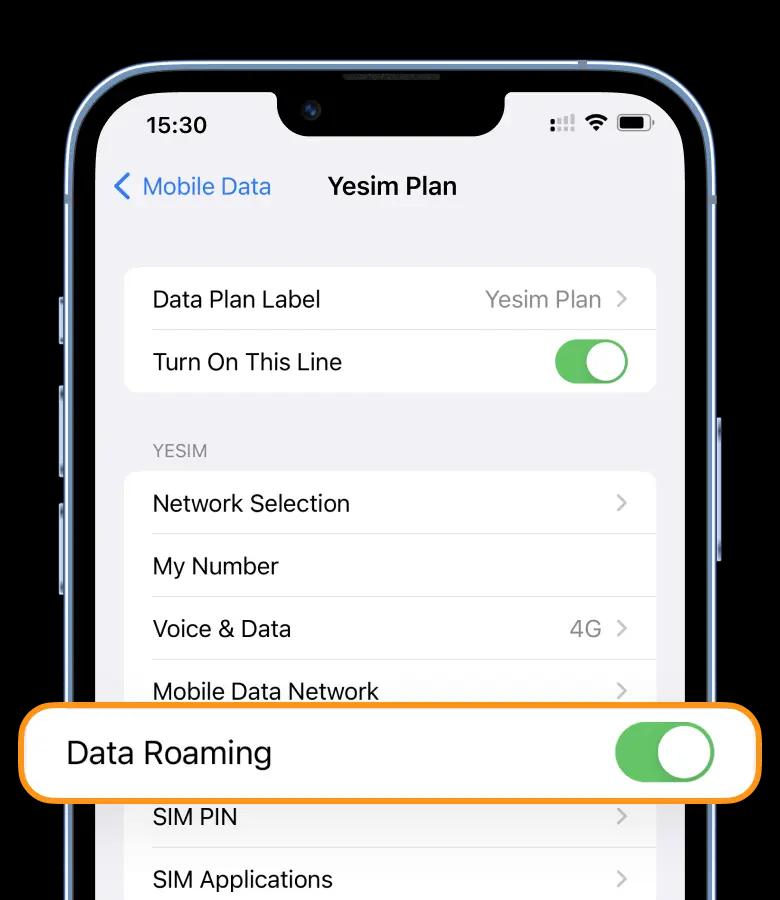
Turn on Data Roaming
Settings → Mobile Data → Yesim
ICCID
If there is a problem with the network connection — turn on the Flight Mode ✈️ for 8 seconds. Connection process can last for 10 minutes.
Download Yesim from App Store & Google Play
Scan with your camera to download the app