
Best Travel eSIMs for Los Angeles in 2026: Data Plans and Visitor Guide

Table of contents

Share
Share
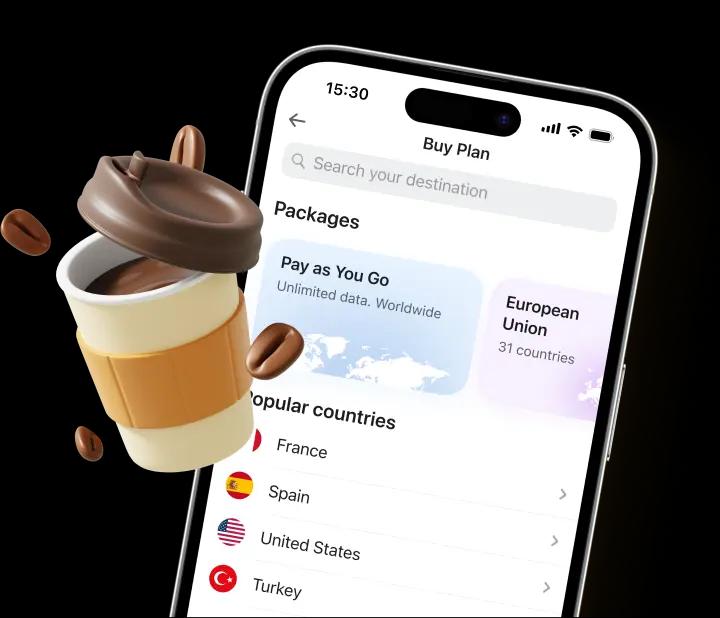
Yesim virtual SIM card for travelers
Get a 10% discount for your first purchase with the code
Los Angeles is one of the most sprawling cities in the United States with tourist destinations spread from Hollywood in the hills to Santa Monica on the coast, from Downtown LA to Venice Beach, Malibu, and beyond.
Mobile data necessary in LA, it's how you navigate, book rides, find parking, and figure out which freeway to avoid. T-Mobile and AT&T both run strong 4G LTE and 5G networks across the metro area, which means an eSIM for Los Angeles gives you reliable high-speed data from the moment you land at LAX.
A prepaid eSIM data plan for LA runs $10–25 for a week's worth of data, a fraction of what most home carriers charge. This guide covers the best eSIM providers for Los Angeles, full plan pricing, coverage across the city, and how to activate your eSIM before traveling to Los Angeles.
What is the best eSIM for Los Angeles travel?

An eSIM is a digital sim card embedded in your smartphone, it stores a carrier profile you install by scanning a QR code. eSIM technology works by connecting your device to local US networks through a wholesale agreement managed by the eSIM provider. Choosing an eSIM for Los Angeles comes down to three variables:
- Trip length. A weekend in LA needs 2–4 GB. A two-week trip runs 10–20 GB for standard tourist use. Remote workers and digital nomads with hotspot needs should plan for 20+ GB or an unlimited data plan.
- Hotspot requirement. If you need to share your mobile data with a laptop, confirm hotspot is included before buying. Not all providers include it and in LA, where you may be working from a Malibu Airbnb or a Silver Lake coffee shop, hotspot support matters.
- Unlimited vs. prepaid data. Unlimited data plans remove the mental overhead of tracking GB. Prepaid data plan options are typically cheaper for trips under 10 days with moderate use. The right choice depends on your data usage patterns.
Read also: Top 12 Best eSIMs for United States
How eSIM works in Los Angeles
Setting up a new eSIM for Los Angeles takes about five minutes. Do it at home before your trip.
- Buy your plan at your chosen provider's site. Confirm the plan covers the United States and includes hotspot if you need it.
- Receive the QR code by email or directly in the eSIM app.
- Scan the QR code to install the eSIM profile. iPhone: Settings → Cellular → Add eSIM. Android: Settings → Network & Internet → SIMs → Add eSIM. Scanning a QR takes under a minute.
- Set the eSIM as your data line. On dual SIM smartphones, select the eSIM for cellular data. Your physical SIM card stays active for calls and SMS on your home number.
- Enable data roaming on the eSIM line. This device-level toggle is separate from the eSIM being installed without it on, the eSIM won't connect to LA's local network.
- Test before you fly. If the eSIM connects at home, the setup is correct. If not, contact your provider's customer support before departure, don't wait until you're at LAX.
Upon arrival, turn off airplane mode and the eSIM will connect automatically to T-Mobile or AT&T. You'll have mobile data connectivity across Los Angeles from the moment you exit the arrivals hall .
Best eSIM providers for Los Angeles
Four providers stand out for LA travel, each with a different strength depending on your travel needs and data usage patterns.
| Provider | Starting price | Unlimited data | Hotspot | Network | Best for |
| Yesim | $0.54 (500 MB) | ✅ From $3.60/day | ✅ All plans | T-Mobile / AT&T | Best overall — unlimited + full hotspot |
| MobiMatter | From $0.70/GB | ✅ Available | ✅ Yes | T-Mobile / AT&T | Best budget per-GB cost |
| Holafly | $6.90/day | ✅ All plans | ⚠️ 500 MB/day cap | T-Mobile | Unlimited-only users, light hotspot |
| Saily | $3.99 | ✅ From $48.99 (15 days) | ✅ Yes | T-Mobile | Simple setup, built-in security (NordVPN) |
Yesim

Yesim routes through T-Mobile and AT&T in Los Angeles, dual-network access that helps maintain fast and reliable mobile data connectivity across LA's vast geography, from the congested 405 corridor to the beach cities and San Fernando Valley. Hotspot is included on every plan with no daily cap, which is the main differentiator for anyone working remotely or sharing data with a laptop.
| Plan type | Data | Duration | Price | Per unit |
| Unlimited | ∞ | 1 day | $3.60 | $3.60/day |
| Unlimited | ∞ | 7 days | $20.40 | $2.92/day |
| Unlimited | ∞ | 15 days | $28.80 | $1.92/day |
| Unlimited | ∞ | 30 days | $40.80 | $1.37/day |
| Prepaid | 500 MB | 1 day | $0.54 | $1.08/GB equiv. |
| Prepaid | 5 GB | 30 days | $10.80 | $2.16/GB |
| Prepaid | 10 GB | 30 days | $16.80 | $1.68/GB |
| Prepaid | 20 GB | 30 days | $20.40 | $1.02/GB |
| Prepaid | 30 GB | 30 days | $24.00 | $0.80/GB |
For a 7-day LA trip, the 7-day unlimited at $20.40 is the cleanest option, unlimited high-speed data, full hotspot, no data tracking. For a fixed prepaid data plan, 10 GB at $16.80 covers a standard tourist week with a buffer. The 30 GB plan at $24 offers the best value per GB of any prepaid option across these four providers.
MobiMatter

MobiMatter offers some of the lowest per-GB rates in the US market, starting from $0.70/GB. It uses T-Mobile and AT&T local networks across LA, providing coverage from Hollywood to Santa Monica and across the metro area. Good pick for travelers who want affordable eSIM data without the complexity of choosing between multiple plan structures.
Holafly

Holafly routes through T-Mobile in Los Angeles with unlimited data plans only. The simplicity works for travelers who want to enjoy unlimited data without tracking consumption, but the 500 MB/day hotspot cap makes it a poor fit for laptop use. Speeds are throttled after sustained heavy streaming.
| Data | Duration | Price |
| Unlimited | 1 day | $6.90 |
| Unlimited | 7 days | $29.90 |
| Unlimited | 15 days | $50.90 |
| Unlimited | 30 days | $74.90 |
| Unlimited | 60 days | $106.90 |
| Unlimited | 90 days | $139.90 |
Saily

Saily is built by NordVPN and routes through T-Mobile in the US. The built-in security layer is a genuine differentiator for travelers who use public Wi-Fi frequently and want protection for their data alongside their mobile plan. Affordable plans starting around $4/GB, with a 15-day unlimited option for longer stays. Simple setup and beginner-friendly onboarding make it a strong pick for first-time eSIM users.
| Data | Duration | Price |
| 1 GB | 7 days | $3.99 |
| 3 GB | 30 days | $8.99 |
| 5 GB | 30 days | $13.99 |
| 10 GB | 30 days | $22.99 |
| 20 GB | 30 days | $36.99 |
| Unlimited | 15 days | $48.99 |
eSIM plans and prices in Los Angeles
LA is a driving city and navigation is near-constant, which burns data steadily throughout the day. A typical tourist in Los Angeles uses 1–3 GB/day depending on how much streaming, social media, and rideshare use they add on top of navigation. Here's how to match a plan to your trip length and data usage:
- Weekend (2–3 days): Yesim 1-day unlimited at $3.60/day (buy separately per day), or Saily 1 GB / 7 days at $3.99 for light use. A weekend in LA with Uber, Google Maps, and social media runs about 2–4 GB total.
- Short trip (4–7 days): Yesim 7-day unlimited at $20.40 for the cleanest option. For a prepaid plan, Yesim 10 GB at $16.80 or Saily 5 GB at $13.99 for lighter users. Ten gigabytes covers a week in LA with standard tourist data usage comfortably.
- Two-week trip (10–15 days): Yesim 20 GB at $20.40 or the 15-day unlimited at $28.80. Remote workers who need hotspot for a laptop should go unlimited.
- Extended stay / digital nomad (30 days): Yesim 30-day unlimited at $40.80 for heavy users, or Yesim 30 GB prepaid at $24 for the best value per GB in this comparison. Anyone traveling to Los Angeles for a month of remote work will appreciate having a hotspot without a cap.
If you need more data mid-trip, all four providers allow top-ups through their app or website without installing a new eSIM.

Internet speed and coverage in Los Angeles
LA's mobile coverage is strong across the populated metro area. T-Mobile leads on 5G deployment and overall speed; AT&T is close behind. Both provide 4G LTE throughout the main tourist corridors.
- Hollywood / West Hollywood: Strong 4G and 5G along Hollywood Boulevard, the Sunset Strip, and surrounding areas. Download speeds on 4G run 30–80 Mbps. Signal is solid indoors in hotels and restaurants.
- Santa Monica / Venice Beach: Good 4G coverage throughout the beachfront and the Third Street Promenade. Signal on the beach itself is strong. Congestion on summer weekends can reduce peak speeds slightly.
- Downtown LA / Arts District: Dense 5G coverage in downtown, particularly around the Convention Center, Staples Center (Crypto.com Arena), and the financial district. Strong signal in hotels and indoor venues.
- Beverly Hills / Century City: Excellent 4G and 5G across both areas. Hotels and shopping centres have reliable indoor coverage.
- Griffith Observatory / Runyon Canyon: T-Mobile coverage extends to Griffith Park and along the main hiking trails. Signal at the Observatory itself is good. Remote canyon trails can have weaker or no signal in the deepest sections.
- Malibu / Pacific Coast Highway: Coverage along PCH follows the T-Mobile and AT&T footprint. Main road stretches have solid 4G; some hillside areas above the coast road have thinner signal.
- LAX (Los Angeles International Airport): Full 4G LTE in all terminals. Your eSIM connects as soon as you land and turn off airplane mode, mobile data is available before you reach baggage claim. This is the best proof point for installing the eSIM before traveling: you're connected instantly upon arrival without hunting for airport Wi-Fi.
- Public transit (Metro Rail): T-Mobile has coverage in many LA Metro stations. Underground sections of the Purple Line and Red Line have patchy signal in tunnels between stations.
Read also: Mobile Internet in the USA
The bottom line
A travel eSIM beats home carrier roaming for any Los Angeles trip longer than two days, typically saving $30–80 over a week. The best eSIM for Los Angelesis Yesim for travelers who want unlimited high-speed data with full hotspot at $20.40 for 7 days, or Yesim's 10 GB prepaid at $16.80 for a fixed-data plan.
MobiMatter leads on budget per-GB cost; Saily adds built-in security from NordVPN; Holafly works for unlimited-only users who don't need laptop hotspot. Buy your eSIM before you fly, install it at home, and you'll have Los Angeles connectivity before your bags arrive at the baggage carousel.
Share
Share
FAQ
Does eSIM work in Los Angeles?
Yes. Los Angeles has strong 4G LTE and growing 5G coverage from T-Mobile and AT&T across the metro area. All eSIM providers in this guide — Yesim, MobiMatter, Holafly, and Saily — route through these local networks. Your eSIM in Los Angeles connects the moment you turn off airplane mode at LAX.
How much data do I need for a week in Los Angeles?
For typical tourist use — Google Maps navigation, rideshare apps, Instagram, WhatsApp, and occasional streaming — 5–10 GB covers a 7-day LA trip. LA's size means more navigation data than most cities; budget 1–2 GB/day minimum for maps and apps. Remote workers using hotspot should plan for 15–20 GB or an unlimited plan.
Can I activate my eSIM at LAX airport?
Technically yes — you can activate an eSIM on airport Wi-Fi after landing. However, installing at home 24–48 hours before departure is the better approach. QR codes are single-use; a failed installation on slow airport Wi-Fi wastes the code and requires contacting customer support. Installing at home means you're connected from the moment you land.
Can I use my home number and a Los Angeles eSIM simultaneously?
Yes, on any smartphone with dual SIM support. Your physical SIM card remains active for calls and SMS on your home number while the eSIM handles Los Angeles mobile data independently. You receive calls on your home number, browse on eSIM data — both lines active simultaneously.
Recommended eSIMs

Pay & Fly
Unlimited data. Pay as you go
North America eSIM
3 countries

United States eSIM
from $1.36 / day

Canada eSIM
from $2.36 / day

Mexico eSIM
from $2.76 / day

Dominican Republic eSIM
from $6.80 / day

Jamaica eSIM
from $3.36 / day

Puerto Rico eSIM
from $2.20 / day

Turks & Caicos Islands eSIM
from $7.12 / day

Bermuda eSIM
from $6.60 / GB

Bahamas eSIM
from $6.80 / day

Saint Lucia eSIM
from $6.32 / day